Free browser tool · no account
Ephemera Strip Maker
Free browser-based tool that fills a sheet with vintage word strips and label clusters. Export PDF or PNG at US Letter or A4, 300 dpi.
The Ephemera Strip Maker turns a simple list of words and phrases into a page of cut-apart strips and label clusters for journaling, collage, and paper crafts. Type or paste one word or phrase per line, choose a strip height and a lettering style, and the tool arranges everything across the sheet. It runs entirely in your browser, so you can refresh, reword, and re-render as many times as you like while you dial in the look.
Every strip is drawn on your own device, and your text never leaves it. The page does not upload your list, does not require an account, and does not cost anything to use. When the sheet looks right, export a print-ready PDF or PNG at 300 dpi for US Letter or A4. Use it for seasonal word strips, vintage labels, or quick title sets sized to your journal.
Use the Ephemera Strip Maker
- Step 1Type or paste your words and phrases, one per line.
- Step 2Set strip height, lettering style, and page size.
- Step 3Review the filled sheet and reword or re-render as needed.
- Step 4Export a 300 dpi PDF or PNG and print at home.
%22%3E%0A%20%20%20%20%20%20%20%20%3Crect%20x%3D%2234.0%22%20y%3D%2248.6%22%20width%3D%22464.1%22%20height%3D%2250.4%22%20rx%3D%223%22%20fill%3D%22%23fffaf6%22%20stroke%3D%22%231c1c1e%22%20stroke-width%3D%220.8%22%2F%3E%0A%20%20%20%20%20%20%20%20%3Crect%20x%3D%2237.0%22%20y%3D%2251.6%22%20width%3D%22458.1%22%20height%3D%2244.4%22%20rx%3D%222%22%20fill%3D%22none%22%20stroke%3D%22%23f7c9be%22%20stroke-width%3D%220.7%22%2F%3E%0A%20%20%20%20%20%20%20%20%3Ctext%20fill%3D%22%231c1c1e%22%20font-family%3D%22Georgia%2C%20'Times%20New%20Roman'%2C%20serif%22%20font-size%3D%2221.16%22%20text-anchor%3D%22middle%22%3E%3Ctspan%20x%3D%22266.05%22%20y%3D%2280.37%22%3EEPHEMERA%20STRIP%20MAKER%3C%2Ftspan%3E%3C%2Ftext%3E%0A%20%20%20%20%20%20%3C%2Fg%3E%3Cg%20transform%3D%22rotate(-0.48%20306%20155.06)%22%3E%0A%20%20%20%20%20%20%20%20%3Crect%20x%3D%2252.2%22%20y%3D%22129.9%22%20width%3D%22507.5%22%20height%3D%2250.4%22%20rx%3D%223%22%20fill%3D%22%23fffaf6%22%20stroke%3D%22%231c1c1e%22%20stroke-width%3D%220.8%22%2F%3E%0A%20%20%20%20%20%20%20%20%3Crect%20x%3D%2255.2%22%20y%3D%22132.9%22%20width%3D%22501.5%22%20height%3D%2244.4%22%20rx%3D%222%22%20fill%3D%22none%22%20stroke%3D%22%23f7c9be%22%20stroke-width%3D%220.7%22%2F%3E%0A%20%20%20%20%20%20%20%20%3Ctext%20fill%3D%22%231c1c1e%22%20font-family%3D%22Georgia%2C%20'Times%20New%20Roman'%2C%20serif%22%20font-size%3D%2221.16%22%20text-anchor%3D%22middle%22%3E%3Ctspan%20x%3D%22306%22%20y%3D%22161.62%22%3EEphemera%20Strip%20Maker%3C%2Ftspan%3E%3C%2Ftext%3E%0A%20%20%20%20%20%20%3C%2Fg%3E%3Cg%20transform%3D%22rotate(0.90%20306%20236.31)%22%3E%0A%20%20%20%20%20%20%20%20%3Crect%20x%3D%22116.4%22%20y%3D%22211.1%22%20width%3D%22461.6%22%20height%3D%2250.4%22%20rx%3D%223%22%20fill%3D%22%23fffaf6%22%20stroke%3D%22%231c1c1e%22%20stroke-width%3D%220.8%22%2F%3E%0A%20%20%20%20%20%20%20%20%3Crect%20x%3D%22119.4%22%20y%3D%22214.1%22%20width%3D%22455.6%22%20height%3D%2244.4%22%20rx%3D%222%22%20fill%3D%22none%22%20stroke%3D%22%23f7c9be%22%20stroke-width%3D%220.7%22%2F%3E%0A%20%20%20%20%20%20%20%20%3Ctext%20fill%3D%22%231c1c1e%22%20font-family%3D%22Georgia%2C%20'Times%20New%20Roman'%2C%20serif%22%20font-size%3D%2221.16%22%20text-anchor%3D%22middle%22%3E%3Ctspan%20x%3D%22347.22%22%20y%3D%22242.87%22%3EEPHEMERA%20STRIP%20MAKER%3C%2Ftspan%3E%3C%2Ftext%3E%0A%20%20%20%20%20%20%3C%2Fg%3E%3Cg%20transform%3D%22rotate(-1.22%20306%20317.56)%22%3E%0A%20%20%20%20%20%20%20%20%3Crect%20x%3D%2234.0%22%20y%3D%22292.4%22%20width%3D%22457.9%22%20height%3D%2250.4%22%20rx%3D%223%22%20fill%3D%22%23fffaf6%22%20stroke%3D%22%231c1c1e%22%20stroke-width%3D%220.8%22%2F%3E%0A%20%20%20%20%20%20%20%20%3Crect%20x%3D%2237.0%22%20y%3D%22295.4%22%20width%3D%22451.9%22%20height%3D%2244.4%22%20rx%3D%222%22%20fill%3D%22none%22%20stroke%3D%22%23f7c9be%22%20stroke-width%3D%220.7%22%2F%3E%0A%20%20%20%20%20%20%20%20%3Ctext%20fill%3D%22%231c1c1e%22%20font-family%3D%22Georgia%2C%20'Times%20New%20Roman'%2C%20serif%22%20font-size%3D%2221.16%22%20text-anchor%3D%22middle%22%3E%3Ctspan%20x%3D%22262.95%22%20y%3D%22324.12%22%3EEPHEMERA%20STRIP%20MAKER%3C%2Ftspan%3E%3C%2Ftext%3E%0A%20%20%20%20%20%20%3C%2Fg%3E%3Cg%20transform%3D%22rotate(-0.33%20306%20398.81)%22%3E%0A%20%20%20%20%20%20%20%20%3Crect%20x%3D%2236.8%22%20y%3D%22373.6%22%20width%3D%22538.4%22%20height%3D%2250.4%22%20rx%3D%223%22%20fill%3D%22%23fffaf6%22%20stroke%3D%22%231c1c1e%22%20stroke-width%3D%220.8%22%2F%3E%0A%20%20%20%20%20%20%20%20%3Crect%20x%3D%2239.8%22%20y%3D%22376.6%22%20width%3D%22532.4%22%20height%3D%2244.4%22%20rx%3D%222%22%20fill%3D%22none%22%20stroke%3D%22%23f7c9be%22%20stroke-width%3D%220.7%22%2F%3E%0A%20%20%20%20%20%20%20%20%3Ctext%20fill%3D%22%231c1c1e%22%20font-family%3D%22Georgia%2C%20'Times%20New%20Roman'%2C%20serif%22%20font-size%3D%2221.16%22%20text-anchor%3D%22middle%22%3E%3Ctspan%20x%3D%22306%22%20y%3D%22405.37%22%3EEphemera%20Strip%20Maker%3C%2Ftspan%3E%3C%2Ftext%3E%0A%20%20%20%20%20%20%3C%2Fg%3E%3Cg%20transform%3D%22rotate(-0.45%20306%20480.06)%22%3E%0A%20%20%20%20%20%20%20%20%3Crect%20x%3D%2296.5%22%20y%3D%22454.9%22%20width%3D%22481.5%22%20height%3D%2250.4%22%20rx%3D%223%22%20fill%3D%22%23fffaf6%22%20stroke%3D%22%231c1c1e%22%20stroke-width%3D%220.8%22%2F%3E%0A%20%20%20%20%20%20%20%20%3Crect%20x%3D%2299.5%22%20y%3D%22457.9%22%20width%3D%22475.5%22%20height%3D%2244.4%22%20rx%3D%222%22%20fill%3D%22none%22%20stroke%3D%22%23f7c9be%22%20stroke-width%3D%220.7%22%2F%3E%0A%20%20%20%20%20%20%20%20%3Ctext%20fill%3D%22%231c1c1e%22%20font-family%3D%22Georgia%2C%20'Times%20New%20Roman'%2C%20serif%22%20font-size%3D%2221.16%22%20text-anchor%3D%22middle%22%3E%3Ctspan%20x%3D%22337.26%22%20y%3D%22486.62%22%3EEPHEMERA%20STRIP%20MAKER%3C%2Ftspan%3E%3C%2Ftext%3E%0A%20%20%20%20%20%20%3C%2Fg%3E%3Cg%20transform%3D%22rotate(0.31%20306%20561.31)%22%3E%0A%20%20%20%20%20%20%20%20%3Crect%20x%3D%2234.0%22%20y%3D%22536.1%22%20width%3D%22474.6%22%20height%3D%2250.4%22%20rx%3D%223%22%20fill%3D%22%23fffaf6%22%20stroke%3D%22%231c1c1e%22%20stroke-width%3D%220.8%22%2F%3E%0A%20%20%20%20%20%20%20%20%3Crect%20x%3D%2237.0%22%20y%3D%22539.1%22%20width%3D%22468.6%22%20height%3D%2244.4%22%20rx%3D%222%22%20fill%3D%22none%22%20stroke%3D%22%23f7c9be%22%20stroke-width%3D%220.7%22%2F%3E%0A%20%20%20%20%20%20%20%20%3Ctext%20fill%3D%22%231c1c1e%22%20font-family%3D%22Georgia%2C%20'Times%20New%20Roman'%2C%20serif%22%20font-size%3D%2221.16%22%20text-anchor%3D%22middle%22%3E%3Ctspan%20x%3D%22271.28%22%20y%3D%22567.87%22%3EEPHEMERA%20STRIP%20MAKER%3C%2Ftspan%3E%3C%2Ftext%3E%0A%20%20%20%20%20%20%3C%2Fg%3E%3Cg%20transform%3D%22rotate(0.06%20306%20642.56)%22%3E%0A%20%20%20%20%20%20%20%20%3Crect%20x%3D%2252.7%22%20y%3D%22617.4%22%20width%3D%22506.6%22%20height%3D%2250.4%22%20rx%3D%223%22%20fill%3D%22%23fffaf6%22%20stroke%3D%22%231c1c1e%22%20stroke-width%3D%220.8%22%2F%3E%0A%20%20%20%20%20%20%20%20%3Crect%20x%3D%2255.7%22%20y%3D%22620.4%22%20width%3D%22500.6%22%20height%3D%2244.4%22%20rx%3D%222%22%20fill%3D%22none%22%20stroke%3D%22%23f7c9be%22%20stroke-width%3D%220.7%22%2F%3E%0A%20%20%20%20%20%20%20%20%3Ctext%20fill%3D%22%231c1c1e%22%20font-family%3D%22Georgia%2C%20'Times%20New%20Roman'%2C%20serif%22%20font-size%3D%2221.16%22%20text-anchor%3D%22middle%22%3E%3Ctspan%20x%3D%22306%22%20y%3D%22649.12%22%3EEphemera%20Strip%20Maker%3C%2Ftspan%3E%3C%2Ftext%3E%0A%20%20%20%20%20%20%3C%2Fg%3E%3Cg%3E%3Crect%20x%3D%2264%22%20y%3D%22694%22%20width%3D%22484%22%20height%3D%2252%22%20rx%3D%226%22%20fill%3D%22%23f7c9be%22%20opacity%3D%220.55%22%2F%3E%0A%20%20%20%20%20%20%3Ctext%20x%3D%22306%22%20y%3D%22726%22%20text-anchor%3D%22middle%22%20font-family%3D%22Georgia%2C%20'Times%20New%20Roman'%2C%20serif%22%20font-size%3D%2215%22%20fill%3D%22%231c1c1e%22%3E%3C%2Ftext%3E%3C%2Fg%3E%0A%3C%2Fsvg%3E)
Exports are drawn on your device at 300 dpi on US Letter 8.5 x 11 in paper. Nothing you type is uploaded.
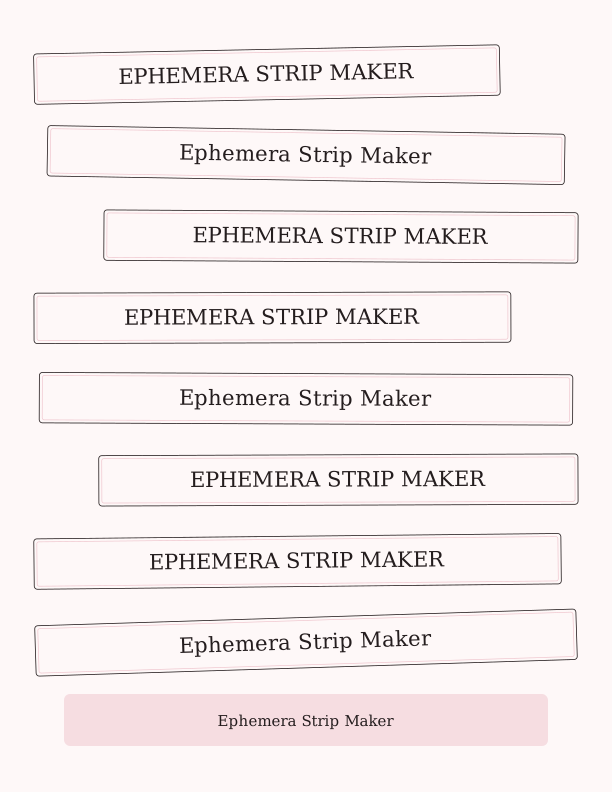
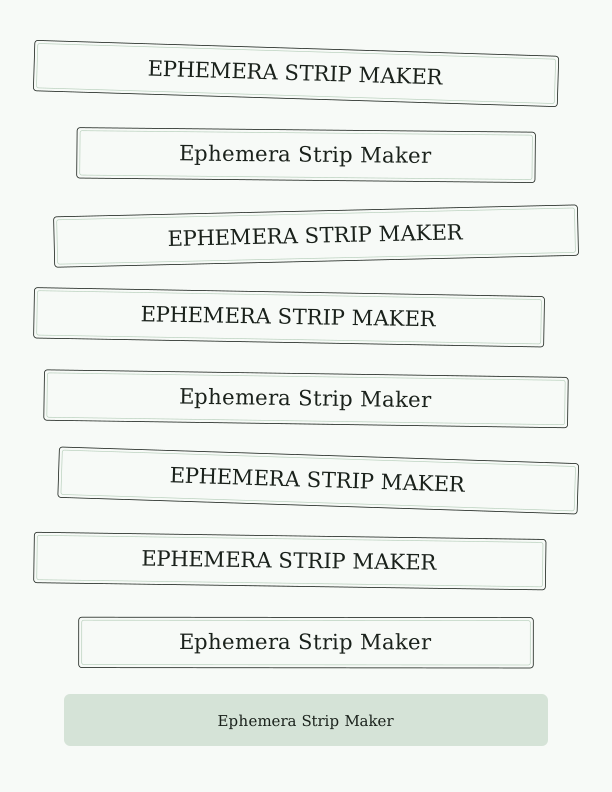
What You Can Make and How the Controls Work
Use the maker for word strips, label clusters, and cut-apart title sets. Enter a list of single words, short phrases, or names, then set the strip height to match the scale of your project. The lettering style control changes the typeface and treatment so a sheet can read as vintage, seasonal, or plain, and the tool re-flows the strips and clusters to fill the page without large gaps. This is the everyday job: a clean, dense sheet of strips you can cut with scissors or a trimmer.
The layout updates each time you adjust a control, so you can compare strip heights and lettering styles side by side before committing. Longer phrases wrap onto a second line inside the same strip rather than overflowing the edge. If a word is wrong or you want a different mix, edit the list and the sheet rebuilds. The result is a print-ready page rather than a single image, which means fewer sheets and less waste when you need many strips at once.
Paper, Sizing, and Printer Settings
Choose US Letter or A4 before exporting, and the sheet is laid out to that page size with a 300 dpi export for crisp edges. Print at 100 percent or Actual Size so strip heights match the dimensions you set in the tool. If your printer defaults to Fit to Page, turn that off; scaling shrinks the strips and the cut lines will not line up with a trimmer guide. Plain 24 lb paper feeds reliably for text-weight strips.
For journals and collage, a slightly heavier paper such as 32 lb or a light cardstock holds up better under glue and handling. Matte finishes take pen and ink more evenly than glossy stock. Print one test sheet on copy paper first to check color, contrast, and strip height, then run your final sheet on the paper you plan to use. Keep the page flat while it cools so the toner or ink does not offset onto the next sheet.
Free Browser Tool vs. the Paid AI Generator
The free Ephemera Strip Maker covers the everyday task: you supply the words, it sets them into strips and label clusters, and you export a print-ready sheet. There is no account, no cost, and no upload, and you can render as many sheets as you need. For most journal pages, gift tags, and quick title sets, this is all you require, and the controls are direct enough that the sheet matches your list rather than guessing at it.
The paid AI generator is for a different job: a bespoke illustration or layout created from a written prompt when you want custom artwork rather than typeset strips. It uses credits, and it is the right choice when the design itself must be original. The free tool remains the practical option for repetitive word strips and label clusters, and you can use both: generate a custom piece in AI, then build matching strips here.
FAQ
Does the tool upload my words or phrases?
No. All drawing happens in your browser, and your text stays on your device. The page does not send your list to a server, and there is no account or sign-in. You can use the maker offline once the page has loaded, and clearing your browser data removes any local state.
Which paper sizes can I export, and at what quality?
Export at US Letter or A4 in PDF or PNG. Both are rendered at 300 dpi, which is print-ready for home printers. Choose the page size before exporting, and print at 100 percent or Actual Size. If your print dialog offers Fit to Page, switch it off so strip heights stay true to your settings.
Can I edit the words after the sheet is generated?
Yes. Change the list in the text box and the sheet rebuilds each time you render. You can add, remove, or reword lines, and the tool re-flows the strips and clusters to fill the page. Adjust strip height or lettering style at any point; nothing is fixed until you export the PDF or PNG.
Designs built with this tool
Every journal ephemera page below can be reproduced in the Ephemera Strip Maker. Open one to see sizes, wording and printing notes, then bring your own text back here.
The Ephemera Strip Maker is free forever. Credits only apply when you ask the AI generator to draw something new.