journal ephemera
Vintage Rabbit Ephemera Tags
Print vintage rabbit ephemera tags for junk journals, cottagecore scrapbooks, and paper crafts. Generate a storybook tag sheet in the browser.
What's in the vintage rabbit tag set
Each sheet gives you a dozen tag shapes built around a storybook rabbit: a seated hare in a waistcoat, a rabbit with a nosegay, a rabbit mid-hop, and a small rabbit silhouette. Tags run about 2 by 3.5 inches, matching a standard shipping-label proportion, with a few 1.5-inch round and oval companions tucked between them.
The artwork carries that worn, cottagecore mood on purpose. Expect soft sepia linework, faint foxing, hand-lettered banners reading things like Gather and With Love, and botanical corners of clover and wheat. Faded ink edges make the tags look as though they came out of a 1930s storybook rather than a printer.
Mixed in are cut-apart extras: two narrow word strips, a small postal-style frame, and a rabbit postage stamp shape. Every element sits inside a fine cut line, so you can follow the border with scissors or skip it and trim straight for a squared tag that layers neatly behind photos and scraps.
Printing and cutting the tags
Choose matte presentation paper around 32 lb, or 48 lb if your printer feeds it without complaint. Text weight at 24 lb works too, but the tags curl at the corners after a day or two. Heavier cardstock near 80 lb runs through most home printers on a rear or manual feed and gives the tags real body.
In the print dialog, set paper size to Letter if you are in the US and A4 elsewhere, then pick Actual Size or 100 percent. Borderless printing is not required, and shrinking to fit will throw off the tag proportions. For dense sepia shading, choose Best or High Quality and let the ink rest a few minutes before handling.
Cutting is quick if you work in passes. A guillotine trimmer squares the outer edges of the sheet first. Then use detail scissors or a craft knife on a self-healing mat around each tag outline. A 1/8-inch hole punch at the top mark takes baker's twine, thin ribbon, or a small safety pin for hanging.
Layering them in journals and crafts
Glue the rabbit tags onto a page first, then build outward. Tuck a torn book page or a piece of sheet music behind the tag so a ragged edge peeks out on one side. A strip of lace, a scrap of dotted tulle, or a length of crochet trim along the bottom softens the paper edge and pushes the cottagecore feel.
Because the tags are small, they work as tuck spots and flip-outs as well as flat decoration. Tape one down along its left edge only, and the whole tag lifts to hide a handwritten note or a tiny pressed flower. The round companions sit nicely in the corners of a pocket page or on a title card.
Pair them with other papery bits you already own: kraft tags, brown paper bags cut into scraps, doily halves, and wax seals. For a quick gift, punch a hole and tie a rabbit tag to a jar of jam or a bundle of dried lavender. The same tag can label a linen sachet or a handmade candle.
Choosing a cottagecore palette
The tag maker lets you adjust the palette before you print, which matters because a single sheet can set the tone for a whole journal spread. Stay in soft neutrals like cream, oatmeal, and faded mushroom for a faded-antique look, or push the rabbit toward dusty sage and pale moss when you want a garden feel.
Pastel choices change the mood fast. Robin's egg blue with warm ivory reads airy and springlike. Dusty rose and soft parchment lean romantic. Muted lavender with greige feels quieter and slightly old-fashioned. If you plan to add your own watercolor washes, choose a lighter preset so your paint still has room to show.
Print a test sheet on plain copy paper at a lower quality setting before committing to nice stock. Hold it against the journal page or scrapbook spread you are decorating. The right palette should sit comfortably with your existing papers rather than fight them, and the test costs almost nothing.
Free tag maker vs AI ephemera
The free browser tool does the practical work. You can open it, change the color palette, preview the tag sheet as it will print, and export a ready-to-print page with the rabbit tags and cut marks in place. No account is needed for that part, and you can print as many sheets as your paper and ink allow.
Paid AI generation goes further. You type a prompt describing the rabbit scene, the aged texture, the color story, and the lettering, and the tool builds original artwork instead of rearranging the fixed set. Credits cover that generation. The result is a coordinated, one-off ephemera sheet with illustrations and paper texture you would not get from the free version.
Use the free maker when you want a reliable sheet today for a journal page, a gift tag, or a classroom craft. Reach for AI credits when you need a matched set for a themed album, a specific rabbit pose, or a texture that ties to a particular palette. Both routes end the same way: you print the sheet at home and cut it yourself.
Make your own with the Ephemera Strip Maker
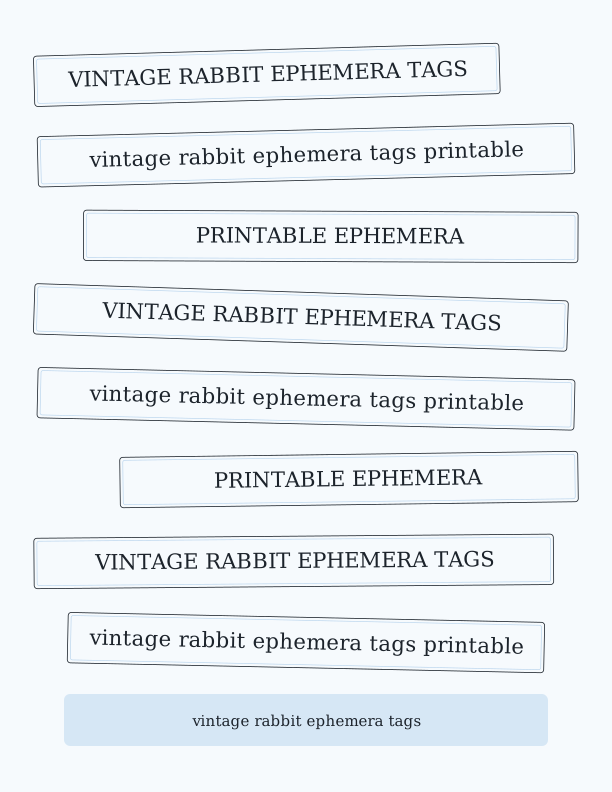
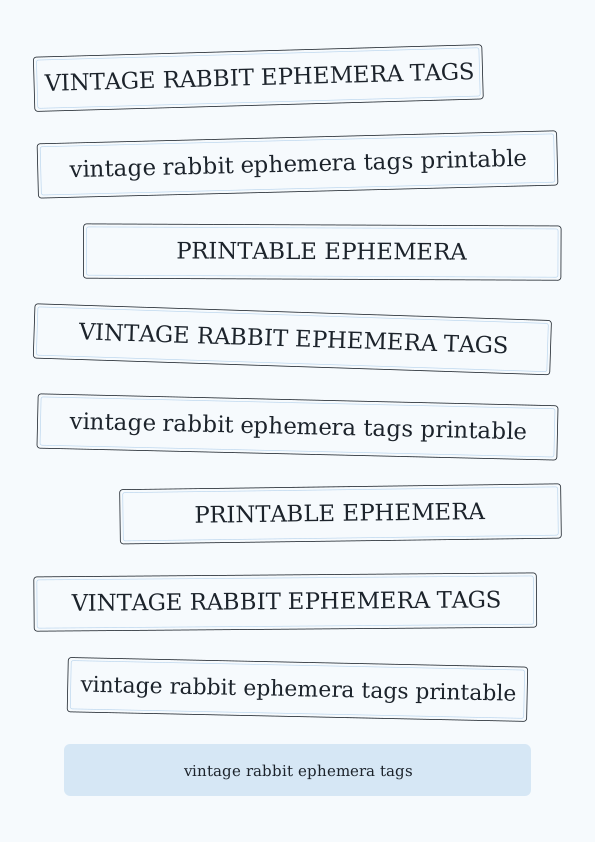
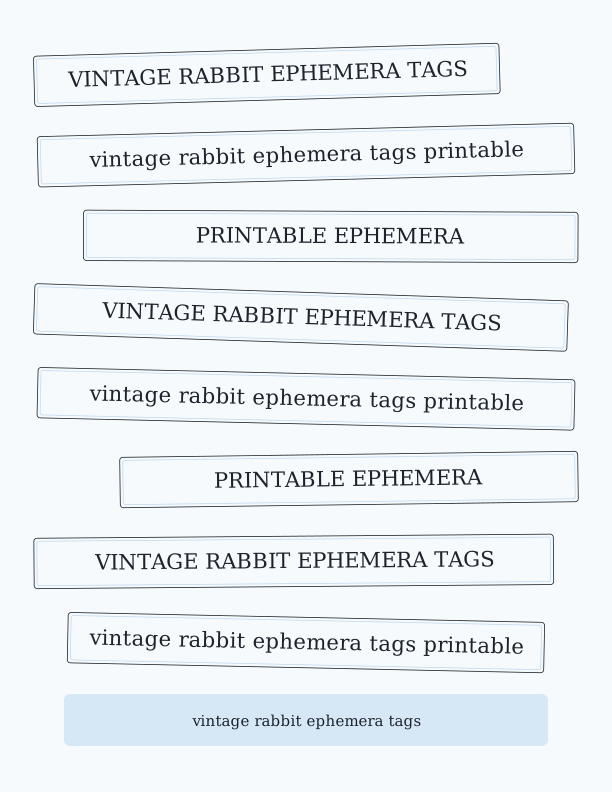
The Ephemera Strip Maker turns a simple list of words and phrases into a page of cut-apart strips and label clusters for journaling, collage, and paper crafts. Type or paste one word or phrase per line, choose a strip height and a lettering style, and the tool arranges everything across the sheet. It runs entirely in your browser, so you can refresh, reword, and re-render as many times as you like while you dial in the look.
%22%3E%0A%20%20%20%20%20%20%20%20%3Crect%20x%3D%2234.0%22%20y%3D%2248.6%22%20width%3D%22464.1%22%20height%3D%2250.4%22%20rx%3D%223%22%20fill%3D%22%23fffaf6%22%20stroke%3D%22%231c1c1e%22%20stroke-width%3D%220.8%22%2F%3E%0A%20%20%20%20%20%20%20%20%3Crect%20x%3D%2237.0%22%20y%3D%2251.6%22%20width%3D%22458.1%22%20height%3D%2244.4%22%20rx%3D%222%22%20fill%3D%22none%22%20stroke%3D%22%23f7c9be%22%20stroke-width%3D%220.7%22%2F%3E%0A%20%20%20%20%20%20%20%20%3Ctext%20fill%3D%22%231c1c1e%22%20font-family%3D%22Georgia%2C%20'Times%20New%20Roman'%2C%20serif%22%20font-size%3D%2221.16%22%20text-anchor%3D%22middle%22%3E%3Ctspan%20x%3D%22266.05%22%20y%3D%2280.37%22%3EVINTAGE%20RABBIT%20EPHEMERA%20TAGS%3C%2Ftspan%3E%3C%2Ftext%3E%0A%20%20%20%20%20%20%3C%2Fg%3E%3Cg%20transform%3D%22rotate(-0.48%20306%20155.06)%22%3E%0A%20%20%20%20%20%20%20%20%3Crect%20x%3D%2252.2%22%20y%3D%22129.9%22%20width%3D%22507.5%22%20height%3D%2250.4%22%20rx%3D%223%22%20fill%3D%22%23fffaf6%22%20stroke%3D%22%231c1c1e%22%20stroke-width%3D%220.8%22%2F%3E%0A%20%20%20%20%20%20%20%20%3Crect%20x%3D%2255.2%22%20y%3D%22132.9%22%20width%3D%22501.5%22%20height%3D%2244.4%22%20rx%3D%222%22%20fill%3D%22none%22%20stroke%3D%22%23f7c9be%22%20stroke-width%3D%220.7%22%2F%3E%0A%20%20%20%20%20%20%20%20%3Ctext%20fill%3D%22%231c1c1e%22%20font-family%3D%22Georgia%2C%20'Times%20New%20Roman'%2C%20serif%22%20font-size%3D%2221.16%22%20text-anchor%3D%22middle%22%3E%3Ctspan%20x%3D%22306%22%20y%3D%22161.62%22%3Evintage%20rabbit%20ephemera%20tags%20printable%3C%2Ftspan%3E%3C%2Ftext%3E%0A%20%20%20%20%20%20%3C%2Fg%3E%3Cg%20transform%3D%22rotate(0.90%20306%20236.31)%22%3E%0A%20%20%20%20%20%20%20%20%3Crect%20x%3D%22116.4%22%20y%3D%22211.1%22%20width%3D%22461.6%22%20height%3D%2250.4%22%20rx%3D%223%22%20fill%3D%22%23fffaf6%22%20stroke%3D%22%231c1c1e%22%20stroke-width%3D%220.8%22%2F%3E%0A%20%20%20%20%20%20%20%20%3Crect%20x%3D%22119.4%22%20y%3D%22214.1%22%20width%3D%22455.6%22%20height%3D%2244.4%22%20rx%3D%222%22%20fill%3D%22none%22%20stroke%3D%22%23f7c9be%22%20stroke-width%3D%220.7%22%2F%3E%0A%20%20%20%20%20%20%20%20%3Ctext%20fill%3D%22%231c1c1e%22%20font-family%3D%22Georgia%2C%20'Times%20New%20Roman'%2C%20serif%22%20font-size%3D%2221.16%22%20text-anchor%3D%22middle%22%3E%3Ctspan%20x%3D%22347.22%22%20y%3D%22242.87%22%3EPRINTABLE%20EPHEMERA%3C%2Ftspan%3E%3C%2Ftext%3E%0A%20%20%20%20%20%20%3C%2Fg%3E%3Cg%20transform%3D%22rotate(-1.22%20306%20317.56)%22%3E%0A%20%20%20%20%20%20%20%20%3Crect%20x%3D%2234.0%22%20y%3D%22292.4%22%20width%3D%22457.9%22%20height%3D%2250.4%22%20rx%3D%223%22%20fill%3D%22%23fffaf6%22%20stroke%3D%22%231c1c1e%22%20stroke-width%3D%220.8%22%2F%3E%0A%20%20%20%20%20%20%20%20%3Crect%20x%3D%2237.0%22%20y%3D%22295.4%22%20width%3D%22451.9%22%20height%3D%2244.4%22%20rx%3D%222%22%20fill%3D%22none%22%20stroke%3D%22%23f7c9be%22%20stroke-width%3D%220.7%22%2F%3E%0A%20%20%20%20%20%20%20%20%3Ctext%20fill%3D%22%231c1c1e%22%20font-family%3D%22Georgia%2C%20'Times%20New%20Roman'%2C%20serif%22%20font-size%3D%2221.16%22%20text-anchor%3D%22middle%22%3E%3Ctspan%20x%3D%22262.95%22%20y%3D%22324.12%22%3EVINTAGE%20RABBIT%20EPHEMERA%20TAGS%3C%2Ftspan%3E%3C%2Ftext%3E%0A%20%20%20%20%20%20%3C%2Fg%3E%3Cg%20transform%3D%22rotate(-0.33%20306%20398.81)%22%3E%0A%20%20%20%20%20%20%20%20%3Crect%20x%3D%2236.8%22%20y%3D%22373.6%22%20width%3D%22538.4%22%20height%3D%2250.4%22%20rx%3D%223%22%20fill%3D%22%23fffaf6%22%20stroke%3D%22%231c1c1e%22%20stroke-width%3D%220.8%22%2F%3E%0A%20%20%20%20%20%20%20%20%3Crect%20x%3D%2239.8%22%20y%3D%22376.6%22%20width%3D%22532.4%22%20height%3D%2244.4%22%20rx%3D%222%22%20fill%3D%22none%22%20stroke%3D%22%23f7c9be%22%20stroke-width%3D%220.7%22%2F%3E%0A%20%20%20%20%20%20%20%20%3Ctext%20fill%3D%22%231c1c1e%22%20font-family%3D%22Georgia%2C%20'Times%20New%20Roman'%2C%20serif%22%20font-size%3D%2221.16%22%20text-anchor%3D%22middle%22%3E%3Ctspan%20x%3D%22306%22%20y%3D%22405.37%22%3Evintage%20rabbit%20ephemera%20tags%20printable%3C%2Ftspan%3E%3C%2Ftext%3E%0A%20%20%20%20%20%20%3C%2Fg%3E%3Cg%20transform%3D%22rotate(-0.45%20306%20480.06)%22%3E%0A%20%20%20%20%20%20%20%20%3Crect%20x%3D%2296.5%22%20y%3D%22454.9%22%20width%3D%22481.5%22%20height%3D%2250.4%22%20rx%3D%223%22%20fill%3D%22%23fffaf6%22%20stroke%3D%22%231c1c1e%22%20stroke-width%3D%220.8%22%2F%3E%0A%20%20%20%20%20%20%20%20%3Crect%20x%3D%2299.5%22%20y%3D%22457.9%22%20width%3D%22475.5%22%20height%3D%2244.4%22%20rx%3D%222%22%20fill%3D%22none%22%20stroke%3D%22%23f7c9be%22%20stroke-width%3D%220.7%22%2F%3E%0A%20%20%20%20%20%20%20%20%3Ctext%20fill%3D%22%231c1c1e%22%20font-family%3D%22Georgia%2C%20'Times%20New%20Roman'%2C%20serif%22%20font-size%3D%2221.16%22%20text-anchor%3D%22middle%22%3E%3Ctspan%20x%3D%22337.26%22%20y%3D%22486.62%22%3EPRINTABLE%20EPHEMERA%3C%2Ftspan%3E%3C%2Ftext%3E%0A%20%20%20%20%20%20%3C%2Fg%3E%3Cg%20transform%3D%22rotate(0.31%20306%20561.31)%22%3E%0A%20%20%20%20%20%20%20%20%3Crect%20x%3D%2234.0%22%20y%3D%22536.1%22%20width%3D%22474.6%22%20height%3D%2250.4%22%20rx%3D%223%22%20fill%3D%22%23fffaf6%22%20stroke%3D%22%231c1c1e%22%20stroke-width%3D%220.8%22%2F%3E%0A%20%20%20%20%20%20%20%20%3Crect%20x%3D%2237.0%22%20y%3D%22539.1%22%20width%3D%22468.6%22%20height%3D%2244.4%22%20rx%3D%222%22%20fill%3D%22none%22%20stroke%3D%22%23f7c9be%22%20stroke-width%3D%220.7%22%2F%3E%0A%20%20%20%20%20%20%20%20%3Ctext%20fill%3D%22%231c1c1e%22%20font-family%3D%22Georgia%2C%20'Times%20New%20Roman'%2C%20serif%22%20font-size%3D%2221.16%22%20text-anchor%3D%22middle%22%3E%3Ctspan%20x%3D%22271.28%22%20y%3D%22567.87%22%3EVINTAGE%20RABBIT%20EPHEMERA%20TAGS%3C%2Ftspan%3E%3C%2Ftext%3E%0A%20%20%20%20%20%20%3C%2Fg%3E%3Cg%20transform%3D%22rotate(0.06%20306%20642.56)%22%3E%0A%20%20%20%20%20%20%20%20%3Crect%20x%3D%2252.7%22%20y%3D%22617.4%22%20width%3D%22506.6%22%20height%3D%2250.4%22%20rx%3D%223%22%20fill%3D%22%23fffaf6%22%20stroke%3D%22%231c1c1e%22%20stroke-width%3D%220.8%22%2F%3E%0A%20%20%20%20%20%20%20%20%3Crect%20x%3D%2255.7%22%20y%3D%22620.4%22%20width%3D%22500.6%22%20height%3D%2244.4%22%20rx%3D%222%22%20fill%3D%22none%22%20stroke%3D%22%23f7c9be%22%20stroke-width%3D%220.7%22%2F%3E%0A%20%20%20%20%20%20%20%20%3Ctext%20fill%3D%22%231c1c1e%22%20font-family%3D%22Georgia%2C%20'Times%20New%20Roman'%2C%20serif%22%20font-size%3D%2221.16%22%20text-anchor%3D%22middle%22%3E%3Ctspan%20x%3D%22306%22%20y%3D%22649.12%22%3Evintage%20rabbit%20ephemera%20tags%20printable%3C%2Ftspan%3E%3C%2Ftext%3E%0A%20%20%20%20%20%20%3C%2Fg%3E%3Cg%3E%3Crect%20x%3D%2264%22%20y%3D%22694%22%20width%3D%22484%22%20height%3D%2252%22%20rx%3D%226%22%20fill%3D%22%23f7c9be%22%20opacity%3D%220.55%22%2F%3E%0A%20%20%20%20%20%20%3Ctext%20x%3D%22306%22%20y%3D%22726%22%20text-anchor%3D%22middle%22%20font-family%3D%22Georgia%2C%20'Times%20New%20Roman'%2C%20serif%22%20font-size%3D%2215%22%20fill%3D%22%231c1c1e%22%3EType%20or%20paste%20your%20words%20and%20phrases%2C%20one%20per%20line.%3C%2Ftext%3E%3C%2Fg%3E%0A%3C%2Fsvg%3E)
Exports are drawn on your device at 300 dpi on US Letter 8.5 x 11 in paper. Nothing you type is uploaded.
FAQ
Here are the questions people ask most about the rabbit tag sheet, from paper choice to the difference between the free maker and AI generation. If you are new to printable ephemera, start with the paper and cutting notes above, then print a test page.
Are the rabbit ephemera tags free?
Yes. You can generate and print the tag sheet in your browser for free.
What can I use them for?
Junk journals, scrapbook pages, collage, cards, and gift tags.
Can I change the colors?
The free maker lets you adjust the palette, and AI generation can create new rabbit illustrations.
Free tool, related designs, and printing help
This design sits in a collection of 5 journal ephemera pages. Start from the Ephemera Strip Maker above, then browse the full journal ephemera collection when you want a matching set.
PrintJoy runs on free tools plus optional credits for AI generation. Nothing on this page needs a subscription.