everyday printables
Thank you Snow Much Tag
Print free thank you snow much tags with a snowman design for Christmas cookies, treats, and neighbor gifts. Add a name and download the sheet.
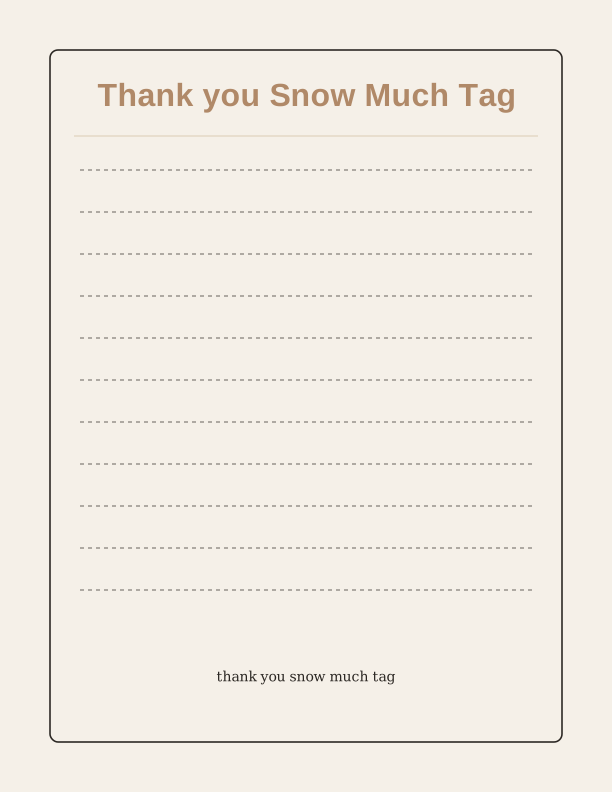
The snowman thank you snow much tag
This free printable centers on a cheerful snowman head, drawn with a carrot nose, coal smile, and a soft hat, with the pun "thank you snow much" curved above or below the artwork. It is built for Christmas cookie plates, cocoa kits, and neighbor gifts that need a quick note of thanks rather than a full greeting card. The tag reads clearly at small sizes, so the joke still lands on a bag of sugar cookies.
Each tag prints flat on one side, so you can write on the back without the ink showing through a thin sheet. Standard 65 lb cardstock (about 176 gsm) holds a pen line well and keeps the rounded shape from curling. If you plan to tie tags onto jars or bakery boxes, a slightly heavier 80 lb cover gives the snowman head more body and resists bending.
The design is intentionally simple: one snowman character, the phrase, and space for a name. Nothing needs to be folded, glued, or assembled beyond a hole punch and a length of string. Print a single tag for one gift or a whole sheet for a classroom, office, or cookie exchange. Because it is a printable template, you can run as many copies as your printer and paper supply allow.
Round tag sizes and sheet layout
Tags arrive as circles, which means no straight cuts to line up and no corner trimming. The maker offers a few diameters, and the two most useful are 2.5 inches across for standard treat bags and 3.5 inches for larger cookie tins or wrapped loaves. A 2 inch version suits small party favor bags and mason jar lids. Choose one diameter per sheet so every tag matches on the gift table.
On US Letter paper, a page of 2.5 inch circles fits 12 tags in a three-by-four grid with margins left for your printer. A4 handles the same count with slightly different spacing. The 3.5 inch size yields 6 tags on either sheet size, and the 2 inch size fits 20. Print a test page on plain copy paper first to confirm your printer is not scaling the layout.
Set the print dialog to Actual Size or 100 percent scale, and choose Portrait orientation. If your printer tends to shrink to fit, that setting is what throws off a circle template, so check it before committing your cardstock. Keep the sheet flat until the ink dries, especially on glossy or coated stock where toner can smudge under a thumb.
How to print and attach the tags
Load your cardstock into the rear or manual feed tray if your printer has one, since that path bends the sheet less and keeps heavier paper from jamming. Select the plain paper or cardstock media type rather than photo paper; the snowman art uses flat color blocks and does not need a photo profile. Print at normal or high quality, not draft, so the fine coal dots and lettering edges stay crisp.
Cut the circles with a 2.5 inch or 3.5 inch circle punch, or use scissors if you have a steady hand and follow the printed outline. A punch is faster for a full sheet and gives a cleaner edge. Punch a single hole about a quarter inch in from the top of each tag, centered on the snowman's hat, so the tag hangs straight instead of tipping sideways.
Thread narrow ribbon, baker's twine, or cotton string through the hole and tie a double knot. Curling ribbon works for gift bags, while twine suits kraft paper and cookie boxes. For food gifts, tape the tag to the outside of a sealed bag or tie it around the container rather than laying it against the cookies. A small wooden clothespin also clips these tags neatly to cellophane bags.
Add the to and from lines
The free tag maker lets you type a name into the To line and your own name into the From line before you print the sheet. Short first names work best because the space is sized for a handful of characters, not a full mailing address. Leave both lines blank if you would rather write by hand in a fine-tip pen or a metallic marker.
You can also personalize the greeting itself, so a tag can read "thank you snow much" for a neighbor, "snow much love" for a family member, or a teacher's name above the snowman for a class gift. Text stays inside the safe print area, so nothing gets cut off when you punch the circle. Mixing one handwritten line with one typed line looks intentional rather than unfinished.
If you are printing a batch for a cookie exchange, add the recipient's name to each tag and leave the From line identical across the sheet. That single typed line saves a lot of handwriting on twenty tags. For a classroom set, initials are enough. Print a fresh sheet whenever the guest list changes, since each run costs only paper and ink.
Free tag maker vs AI tag designs
The free browser tool does the practical work: it places your To and From text on the snowman design, lets you pick a tag diameter, and generates a print-ready sheet of circles. No account is needed and nothing is emailed to you. You print from your own printer on your own paper, which means you can adjust the count or the names and run another sheet within a minute.
Paid AI generation is for when you want different art rather than different names. Describe what you have in mind, such as a reindeer, a penguin in a scarf, or the same snowman with a different holiday phrase, and the generator produces a new version of the tag using your credits. It is a way to restyle the artwork and wording for another occasion.
Use the free maker for the Christmas cookies, the neighbor plates, and the teacher gifts you already have planned. Reach for AI credits when the pun or the character needs to change, like a Valentine version, a winter birthday favor, or a set that matches a specific party theme. Both paths end the same way: a PDF-style sheet you print, cut, and tie onto the gift yourself.
Make your own with the Printable Maker
Printable Maker is a free browser tool for turning typed text into a finished printable sheet. Pick a layout, enter your wording, choose the finished size, and the page draws everything on your device. Nothing is uploaded, there is no account, and there is no cost. It handles candy-bar wrappers, signs, worksheets, and folded cards in one place, which covers the everyday projects in this collection.
%20scale(1.2)%20translate(-50%20-50)%22%20fill%3D%22none%22%20stroke%3D%22%23e85d4e%22%20stroke-width%3D%223.2%22%20stroke-linecap%3D%22round%22%20stroke-linejoin%3D%22round%22%3E%3Cpath%20d%3D%22M50%2012%20L60%2040%20L90%2040%20L66%2058%20L75%2088%20L50%2070%20L25%2088%20L34%2058%20L10%2040%20L40%2040%20Z%22%2F%3E%3Ccircle%20cx%3D%2216%22%20cy%3D%2220%22%20r%3D%224%22%2F%3E%3Ccircle%20cx%3D%2286%22%20cy%3D%2226%22%20r%3D%223%22%2F%3E%3C%2Fg%3E%3Ctext%20fill%3D%22%231c1c1e%22%20font-family%3D%22Helvetica%2C%20Arial%2C%20sans-serif%22%20font-size%3D%2254%22%20font-weight%3D%22bold%22%20text-anchor%3D%22middle%22%3E%3Ctspan%20x%3D%22306%22%20y%3D%22354.80%22%3ETHANK%20YOU%3C%2Ftspan%3E%3Ctspan%20x%3D%22306%22%20y%3D%22420.68%22%3ESNOW%20MUCH%20TAG%3C%2Ftspan%3E%3C%2Ftext%3E%3Ctext%20fill%3D%22%231c1c1e%22%20font-family%3D%22Georgia%2C%20'Times%20New%20Roman'%2C%20serif%22%20font-size%3D%2217%22%20text-anchor%3D%22middle%22%3E%3Ctspan%20x%3D%22306%22%20y%3D%22570.90%22%3EChoose%20a%20layout%3A%20candy-bar%20wrapper%2C%20sign%2C%3C%2Ftspan%3E%3Ctspan%20x%3D%22306%22%20y%3D%22591.64%22%3Eworksheet%2C%20or%20folded%20card.%3C%2Ftspan%3E%3C%2Ftext%3E%0A%3C%2Fsvg%3E)
Exports are drawn on your device at 300 dpi on US Letter 8.5 x 11 in paper. Nothing you type is uploaded.
FAQ
These are the questions readers ask most about printing and personalizing the snowman thank you snow much tag at home.
Are the thank you snow much tags free?
Yes. You can create and print them in your browser for free.
What do these tags go on?
They suit cookie plates, hot cocoa kits, candy bags, and small holiday gifts.
Can I add names?
The free maker has editable fields for names and a short message.
Free tool, related designs, and printing help
This design sits in a collection of 10 everyday printables pages. Start from the Printable Maker above, then browse the full everyday printables collection when you want a matching set.
PrintJoy runs on free tools plus optional credits for AI generation. Nothing on this page needs a subscription.