coloring pages
Lord is my Shepherd Coloring Page
Print a free The Lord Is My Shepherd coloring page from Psalm 23:1 for Sunday school, VBS, and homeschool. Generate and download it in the browser.
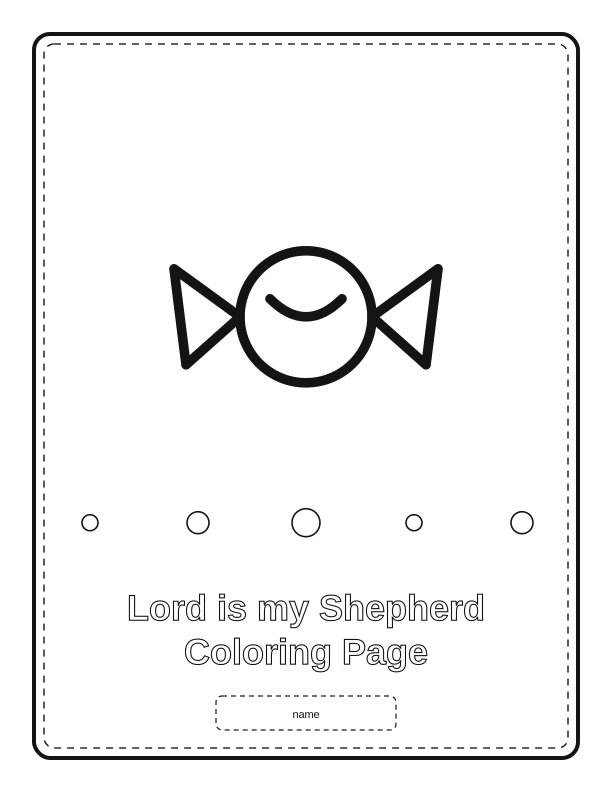
The Psalm 23:1 verse on the page
The free coloring page centers on the words of Psalm 23:1, "The Lord is my shepherd; I shall not want," set in a clean, hand-lettered banner above a simple outdoor scene. A shepherd stands beside a single sheep on a grassy hill, with a small stream curving through the foreground and a few stylized clouds overhead. The lettering uses open letters with rounded edges so crayons and markers stay inside the lines.
You can edit the caption before you print. The free tool lets you keep the full verse, shorten it to "The Lord is my shepherd," or swap in a child's name or a class name at the top. This matters for Sunday school teachers who want each student's sheet to feel personal, and for parents using the page as a bedtime devotion activity.
The illustration avoids tiny details. There are no facial features on the sheep, no grass blades thinner than a pencil line, and no background texture that demands precision. That makes the page work for very young colorers as well as older kids who want to add their own sky colors, flowers, or a second sheep in the empty space on the right.
Coloring tips for younger children
For ages two to four, print on 65 lb (176 gsm) cardstock instead of copy paper. Little hands press hard, and the thicker sheet resists tearing at the shepherd's staff and the stream edges. Chubby crayons work better than thin ones here. Show them how to fill the grass first with a side-to-side motion, then color the sheep and the sky last so they don't smudge their own work.
Ages five to seven can handle colored pencils and washable markers. If you use markers, place a scrap sheet underneath to catch bleed-through. Ask them to choose one color for the shepherd's robe and a different one for the hills, then talk about why a shepherd would stay close to the sheep. The act of coloring slows the conversation down, which is the point at this age.
If a child gets frustrated by the lettering, let them skip it. The words are already readable when printed, and coloring them in is optional. Some kids prefer to color only the picture and then trace the verse with a yellow highlighter afterward. Both approaches are fine. Keep a damp cloth nearby for marker hands, and tape the finished page to the fridge with painter's tape so it comes off without ripping.
Print size and paper tips
The free coloring page prints on US Letter (8.5 by 11 inches) at 100 percent scale. In your printer dialog, choose Actual Size or Scale 100%, not Fit to Page, or the border margins will shrink unevenly. For A4 users, the tool exports a version at 210 by 297 millimeters with the same proportions. Set your paper type to Plain Paper for 20 lb (75 gsm) sheets and Cardstock for heavier stock.
If you plan to color with wet media like watercolor pencils or light washes, use 80 lb (216 gsm) or heavier paper. Standard copy paper buckles when it gets wet, and the shepherd's stream area is the first place you'll see ripples. For dry media like crayons and colored pencils, 24 lb (90 gsm) multipurpose paper is fine and feeds through most home printers without jamming.
Print in black and white, not grayscale, so the outlines stay crisp. If your printer has a Draft setting, avoid it for this page; draft mode lightens the lines and makes them harder for small children to follow. Print two copies if you have siblings sharing one sheet, since the empty space on the right invites different colors and additions. No shipping is involved. The page prints from your own printer.
Use it in a lesson on God's care
This coloring page fits a 30-minute Sunday school lesson on Psalm 23. Start by reading verses 1 through 4 aloud while kids color the shepherd and sheep. Ask what a shepherd does when a sheep wanders off. The image gives them something to look at while they think, and the verse at the top keeps the words in front of them without requiring them to read a Bible passage on their own.
For vacation Bible school or a homeschool unit on God's care, pair the page with a simple object lesson. Bring a small stuffed sheep and hide it under a chair before class. Let one child "find" it while the others color. Then connect the search to the shepherd leaving the ninety-nine. The page becomes a take-home reminder, and parents often tell us they see it taped above a bed later that week.
Older elementary kids can use the blank space beside the hill to write a short prayer or list three ways they saw care this week. That turns a coloring sheet into a journaling prompt. If you teach a mixed-age class, print the standard page for the younger group and the same page for the older group, then let the older kids add their own text in the margins. One file, two levels.
Free coloring maker vs AI coloring pages
The free coloring maker runs in your browser and does not cost anything. You can open the Psalm 23:1 page, change the caption text, adjust the page to US Letter or A4, and print it directly. There is no account needed for the free tool, and you can generate as many copies as your printer allows. The output is the same clean line art shown on this page, built around the shepherd, sheep, and stream scene.
The paid AI coloring pages option uses credits and lets you describe a different scene in your own words. You might ask for a shepherd leading five sheep through a rocky valley at sunset, or a night scene with a campfire and a single lamb. The AI sketches that custom illustration and sets your chosen verse beneath it. Credits are purchased in advance and used when you generate a new page.
Neither option ships anything to you. Both produce a file you print at home on your own paper. The free tool is best when you want the classic Psalm 23:1 layout quickly for a class or a quiet afternoon. The AI generator is better when your lesson needs a specific setting, a different animal, or a verse reference that is not already on the standard page. Try the free version first and see if it covers what you need.
Make your own with the Coloring Page Maker
Turn a short caption into a printable coloring sheet without leaving your browser. Type the words you want on the page, choose a motif such as stars, flowers, animals, shapes, or sweets, then set the line weight and page orientation. The maker draws clean black-and-white line art on your device and shows a live preview as you adjust. When it looks right, export a print-ready file at 300 dpi for US Letter or A4 and color it by hand.
%20scale(3)%20translate(-50%20-50)%22%20fill%3D%22none%22%20stroke%3D%22%23141414%22%20stroke-width%3D%223.2%22%20stroke-linecap%3D%22round%22%20stroke-linejoin%3D%22round%22%3E%3Cpath%20d%3D%22M12%2062%20L88%2062%20L74%2090%20L26%2090%20Z%22%2F%3E%3Cpath%20d%3D%22M26%2062%20L26%2034%20L74%2034%20L74%2062%22%2F%3E%3Cpath%20d%3D%22M50%2034%20L50%2012%22%2F%3E%3Ccircle%20cx%3D%2250%22%20cy%3D%2210%22%20r%3D%224%22%2F%3E%3Cpath%20d%3D%22M34%2046%20q16%2014%2032%200%22%2F%3E%3C%2Fg%3E%3Ccircle%20cx%3D%2290%22%20cy%3D%22522.72%22%20r%3D%228%22%20fill%3D%22none%22%20stroke%3D%22%23141414%22%20stroke-width%3D%221.6%22%2F%3E%3Ccircle%20cx%3D%22198%22%20cy%3D%22522.72%22%20r%3D%2211%22%20fill%3D%22none%22%20stroke%3D%22%23141414%22%20stroke-width%3D%221.6%22%2F%3E%3Ccircle%20cx%3D%22306%22%20cy%3D%22522.72%22%20r%3D%2214%22%20fill%3D%22none%22%20stroke%3D%22%23141414%22%20stroke-width%3D%221.6%22%2F%3E%3Ccircle%20cx%3D%22414%22%20cy%3D%22522.72%22%20r%3D%228%22%20fill%3D%22none%22%20stroke%3D%22%23141414%22%20stroke-width%3D%221.6%22%2F%3E%3Ccircle%20cx%3D%22522%22%20cy%3D%22522.72%22%20r%3D%2211%22%20fill%3D%22none%22%20stroke%3D%22%23141414%22%20stroke-width%3D%221.6%22%2F%3E%3Ctext%20fill%3D%22none%22%20stroke%3D%22%23141414%22%20stroke-width%3D%221.1%22%20font-family%3D%22Helvetica%2C%20Arial%2C%20sans-serif%22%20font-size%3D%2236%22%20font-weight%3D%22bold%22%20text-anchor%3D%22middle%22%3E%3Ctspan%20x%3D%22306%22%20y%3D%22620.28%22%3ELord%20is%20my%20Shepherd%3C%2Ftspan%3E%3Ctspan%20x%3D%22306%22%20y%3D%22664.20%22%3EColoring%20Page%3C%2Ftspan%3E%3C%2Ftext%3E%3Crect%20x%3D%22216%22%20y%3D%22696%22%20width%3D%22180%22%20height%3D%2234%22%20rx%3D%226%22%20fill%3D%22none%22%20stroke%3D%22%23141414%22%20stroke-width%3D%221.2%22%20stroke-dasharray%3D%225%204%22%2F%3E%3Ctext%20x%3D%22306%22%20y%3D%22718%22%20text-anchor%3D%22middle%22%20font-family%3D%22Helvetica%2C%20Arial%2C%20sans-serif%22%20font-size%3D%2211%22%20fill%3D%22%23141414%22%3Ename%3C%2Ftext%3E%0A%3C%2Fsvg%3E)
Exports are drawn on your device at 300 dpi on US Letter 8.5 x 11 in paper. Nothing you type is uploaded.
FAQ
These are the questions readers ask most often about the Lord is my Shepherd coloring page printable, from paper weight to caption changes. If you are printing for a class, a homeschool co-op, or a single child at the kitchen table, the answers below cover the details that come up before you hit Print.
Is the Psalm 23 coloring page free?
Yes. You can generate and print it in your browser for free.
What ages is it suited to?
The simple line art works well for preschool through early elementary children.
Can I add a name or class label?
The free maker has an editable caption field, and AI generation can personalize the page further.
Free tool, related designs, and printing help
This design sits in a collection of 11 coloring pages pages. Start from the Coloring Page Maker above, then browse the full coloring pages collection when you want a matching set.
PrintJoy runs on free tools plus optional credits for AI generation. Nothing on this page needs a subscription.